Okay. I got curious.
As of this blog, I'm sure many of you have seen and heard about the new feature in Photoshop where you can select objects in photos and make them disappear. Where you can take a photo of a landscape and expand it almost true to accuracy. And you can change an outfit of one person to transform into something else.
All in a matter of seconds. ...what?!
For those who have been following me for some time now, I am still in my first year of business as a professional photographer, and although I have more experience in utilizing Adobe Lightroom where the majority of my photography alchemy takes place, Photoshop is currently my weakness. Right now, my current skills in Photoshop allow me to do the basics, such as smoothing out wrinkles in fabric, and lightening undereye shadows. One goal I would like to accomplish in 2 years is being able to generate fun anime/action type photos of my cosplayer customers, but knowing how long it takes to produce a single picture, part of me feels discouraged to stick to what I know.
The benefit of having something like AI would be a faster return time of photos to my customers. As you'll see later in the blog, there was a photo I wanted to showcase for my Instagram row, but despite my efforts, I couldn't fully get the results I wanted. So I decided to give the new Photoshop feature a try... And I was SHOOKETH.
NOTE: As of this blog, you must have a subscription to Adobe in order to access the beta version of Photoshop for free. Once it is downloaded on your computer, you will notice that the original version of Photoshop's icon is in it's classic black and blue colors; the beta version's icon will have their colors inverted to white and blue.
The Great AI Debate
AI has been the hot topic in the world of technology in recent years, and has stirred the debate in various industries and fields. It produces results in a shorter amount of time with data collection, and can create almost exactly the result one may be looking for. The art industry has been impacted harshly due to AI generating images stolen from independent artists on the digital platform, and leaves the original artists hurt and questioning on whether to continue sharing their art online with their followers and fans.
Some of the most common AI programs available for those on social media platforms are the ones that take your images and turn you into fantasy and/or anime-like characters. I, too, in the beginning was impressed with the results that I got from experimenting on a few personal photos. However, I learned quickly from friends and artists I follow that these apps generate their results from art that are stolen from other artists. I felt embarrassed and removed my apps from my phone immediately. Like many, I enjoyed the entertainment of having fun images catered to me, but realized a bit too late how hurtful it is not only to the others, but also for me - who could be using my own face and image without my permission? And would they use that information for gain or harm? What about my own art getting stolen by someone else?
There is benefit to AI as well. As I mentioned earlier, editing photos can help speed production in a fast-paced world. So to demonstrate this, let's see what happened when I did some experimenting on Photoshop last night.
From start to finish.
While looking back on photos from my "Lost Files", I took a few photos from Mako-chan Cosplay's Freyha Wion from Macross Delta to prepare for edit and schedule for posting on my social media. The last photo I wanted to showcase took longer than I hoped because despite my efforts in doing the finishing touches on the photos, I simply couldn't get it to how I wanted it.
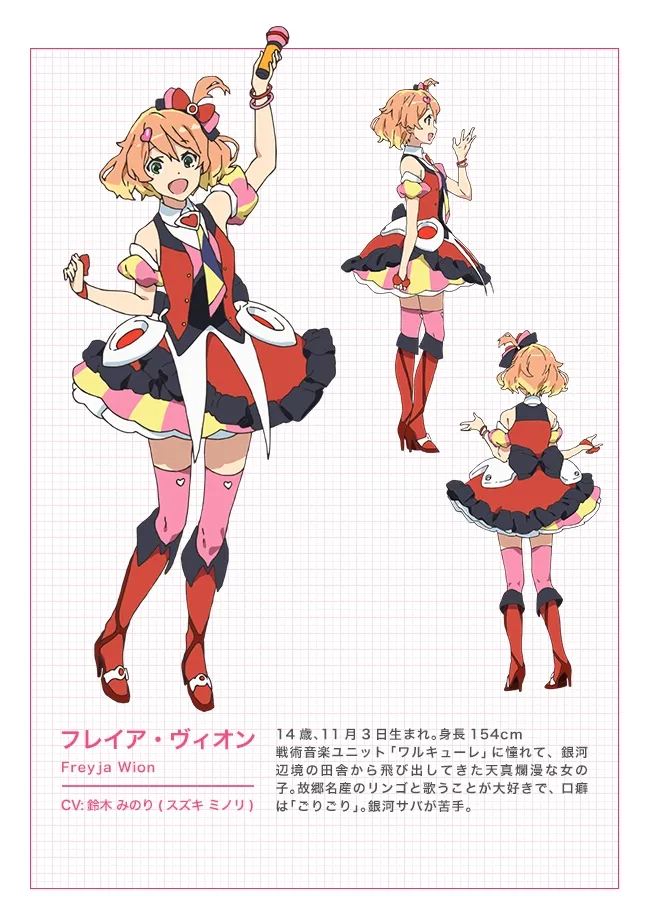
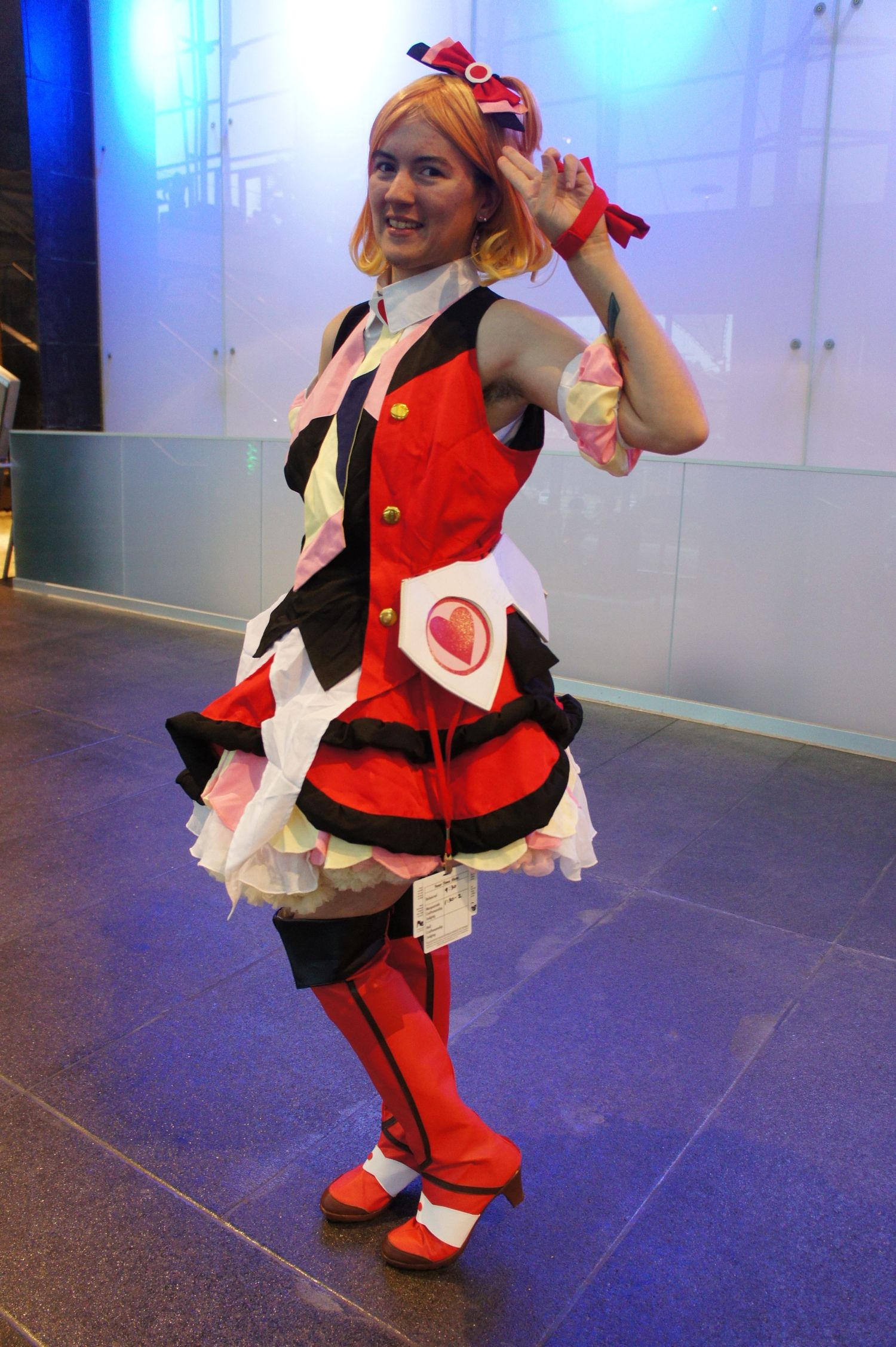
Here is a reference photo of Fryja's costume from the Macross Delta anime and an original photo taken by me before any editing (this photo is property of Atelier Reiko Photography and is shared for demonstration purposes only, do not steal without permission):
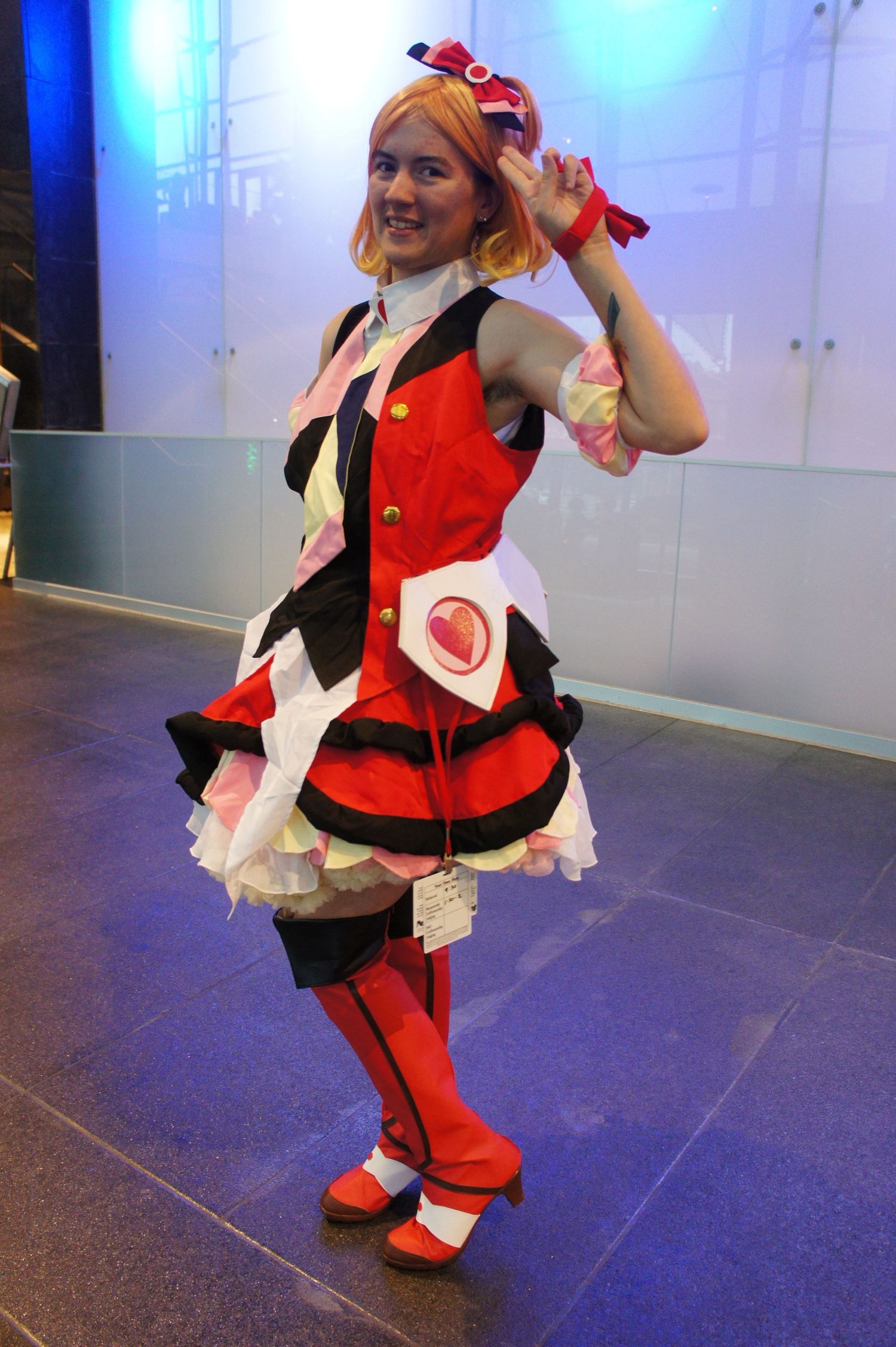
And here is the result from my own editing in Lightroom.
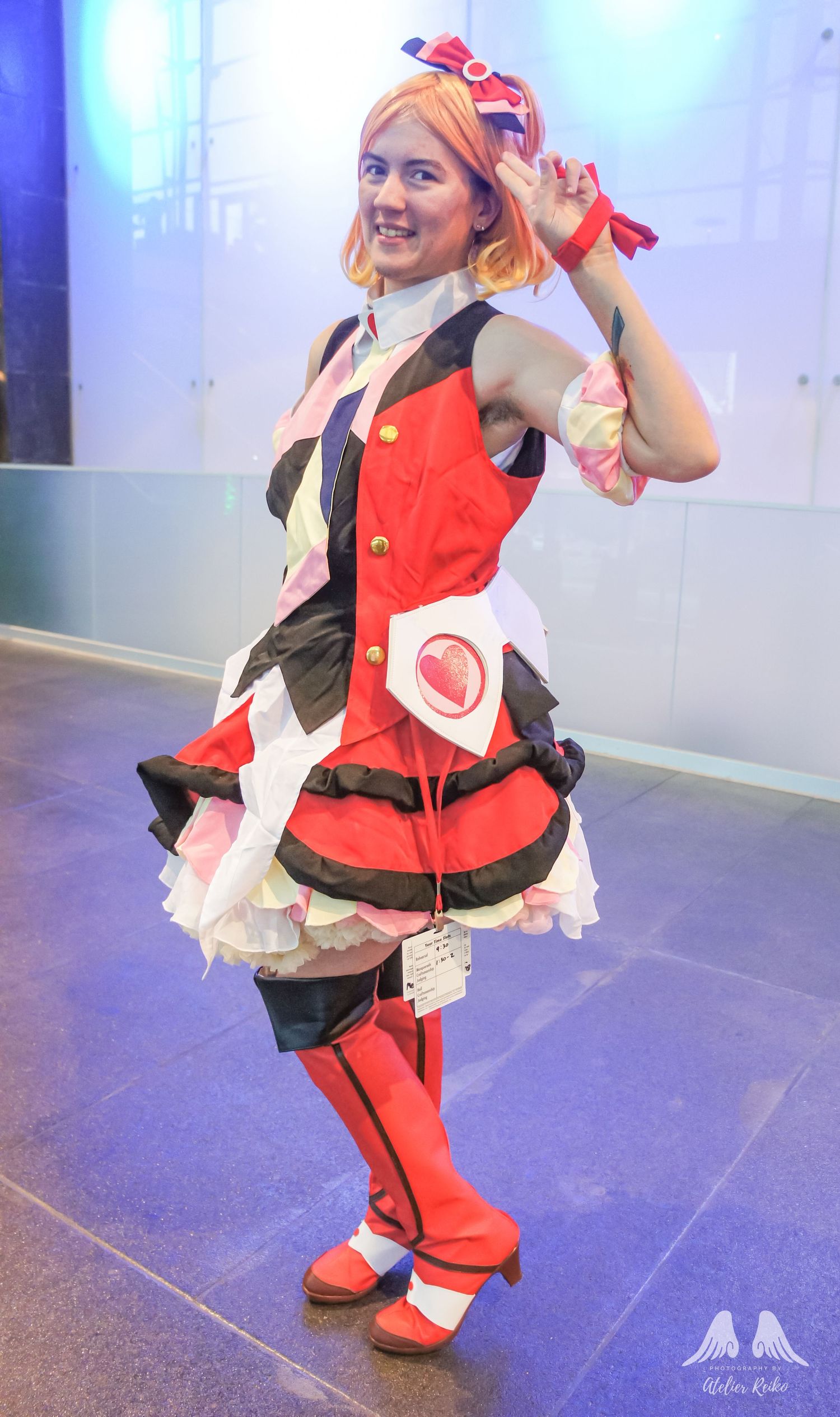
I wanted to have the photo where I can make it more flattering with removal of unwanted facial and body hair. I also wanted to try to adjust the wig a little bit so it hid more of Mako-chan's natural hair.
I selected the areas that I wanted to fix using the rectangle selection tool; from the mini-bar, I selected the Generative Fill option and typed in keywords. I used "remove hair" for the face and underarm, and "blend wig color" for the hair.
As a result, the body and facial hair disappeared, and looked nice and clean. The wig was adjusted slightly downward toward the natural hair part, and as a result, slightly blurred the hair color to appear more like a shadow.
Here's the result of the first AI edit:
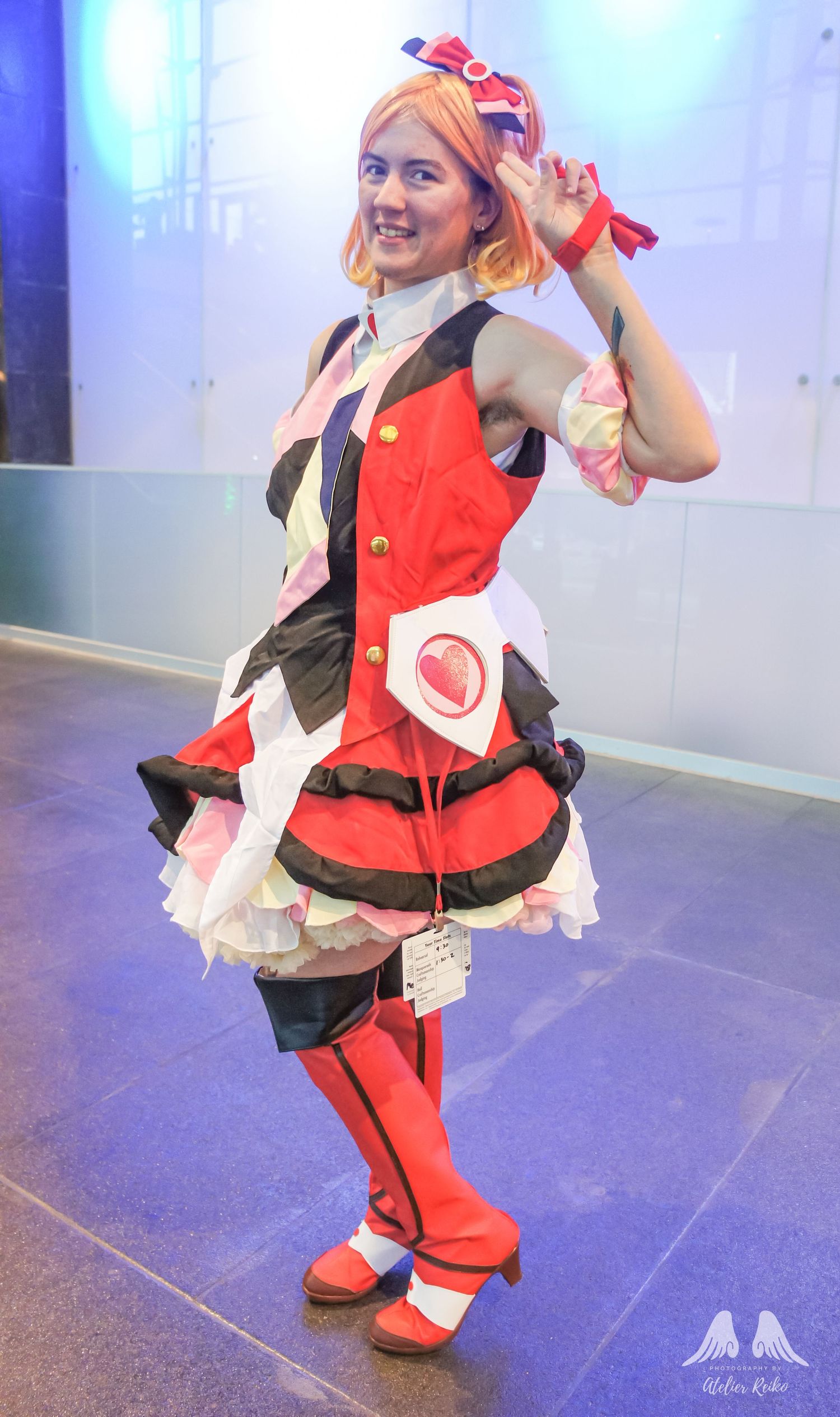
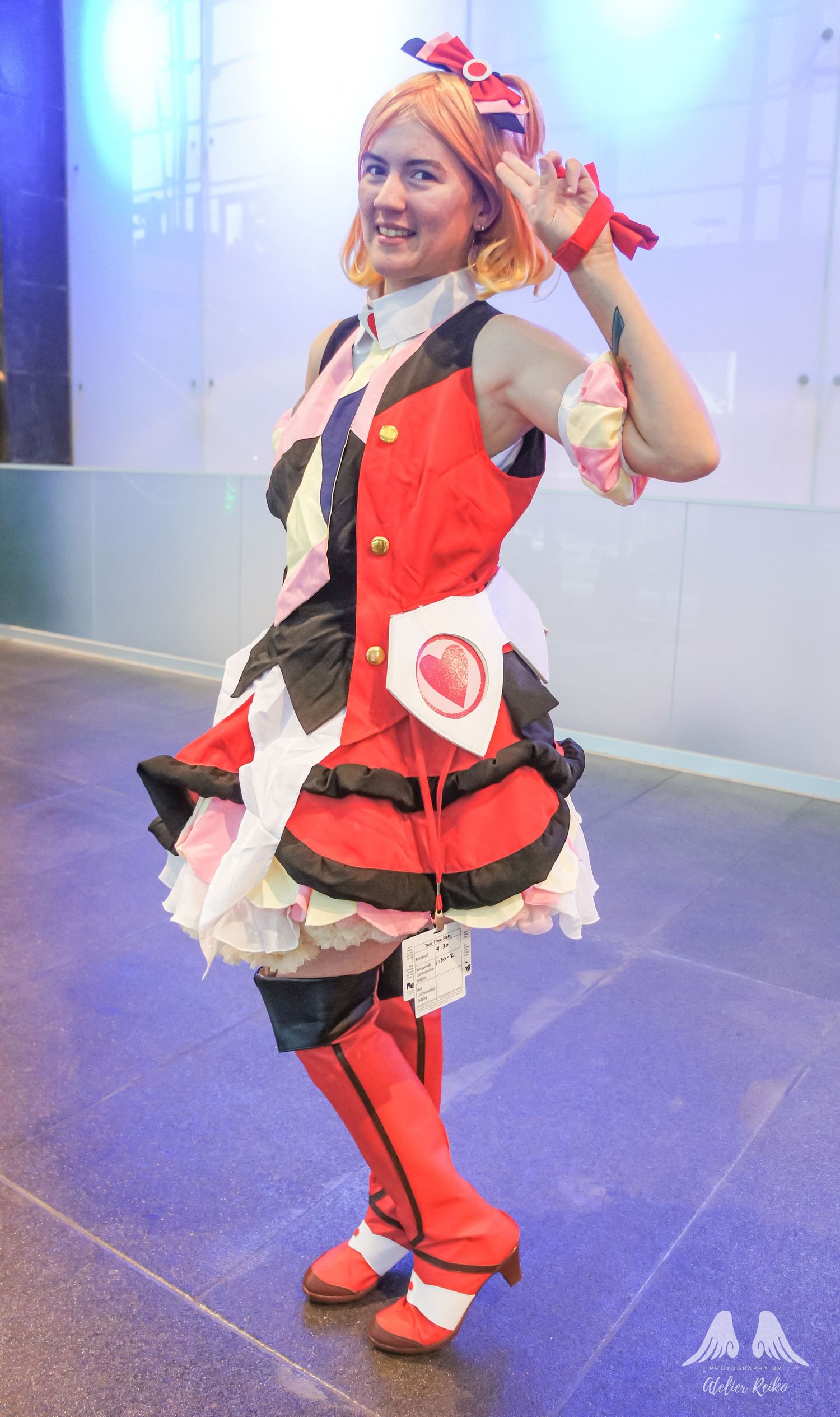
Needless to say, I was very impressed. There was no way I could have been able to produce that kind of result even with the underarm hair no matter how long I sat at my computer.
Then I decided to take things further, and see if I can make the pesky lanyard and badge disappear! During conventions, attendees must have their badges visible as proof of purchase and entry for the event. For cosplayers it can be rather annoying to have them on their costume since it can get in the way of taking good pictures. I wanted to try to showcase Mako-chan the cosplayer, so I tried to make the lanyard and badge disappear by adding it to the Rectangle selection tool and used the keywords "remove lanyard and badge". Within seconds, the badge disappeared!
My mind was absolutely blown by how quickly the badge and lanyard disappeared! But of course, what is taken away must be compensated by replacing. Immediately you can tell that the white detail with the heart was altered by expanding and curving. In Freyja's art reference, it does appear that this part is rounded out so I wasn't too upset by this change. To compensate for the spaces of the lanyard and badge, the AI elongated and edited the skirt and ruffles to make it appear a little bit longer. I can see toward the back parts of the right leg that the AI tried to fill in with the red from the back part of the left leg. There is an odd gap in between the legs that makes it appear as though the back leg is much smaller, but on the other hand I think it makes a bit of an illusion that it separates the black flaps of the boots.
So here is the final result of the photo:
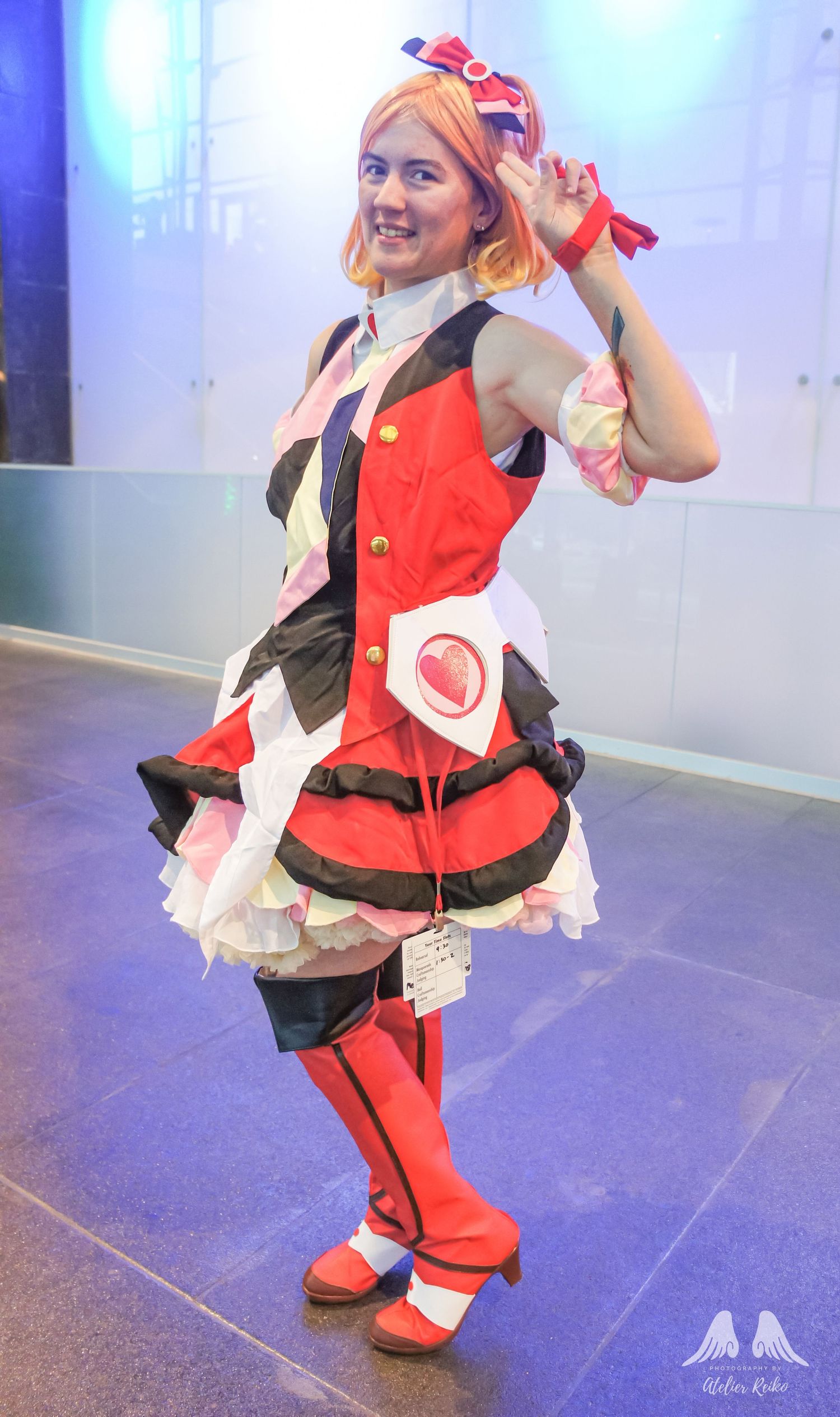
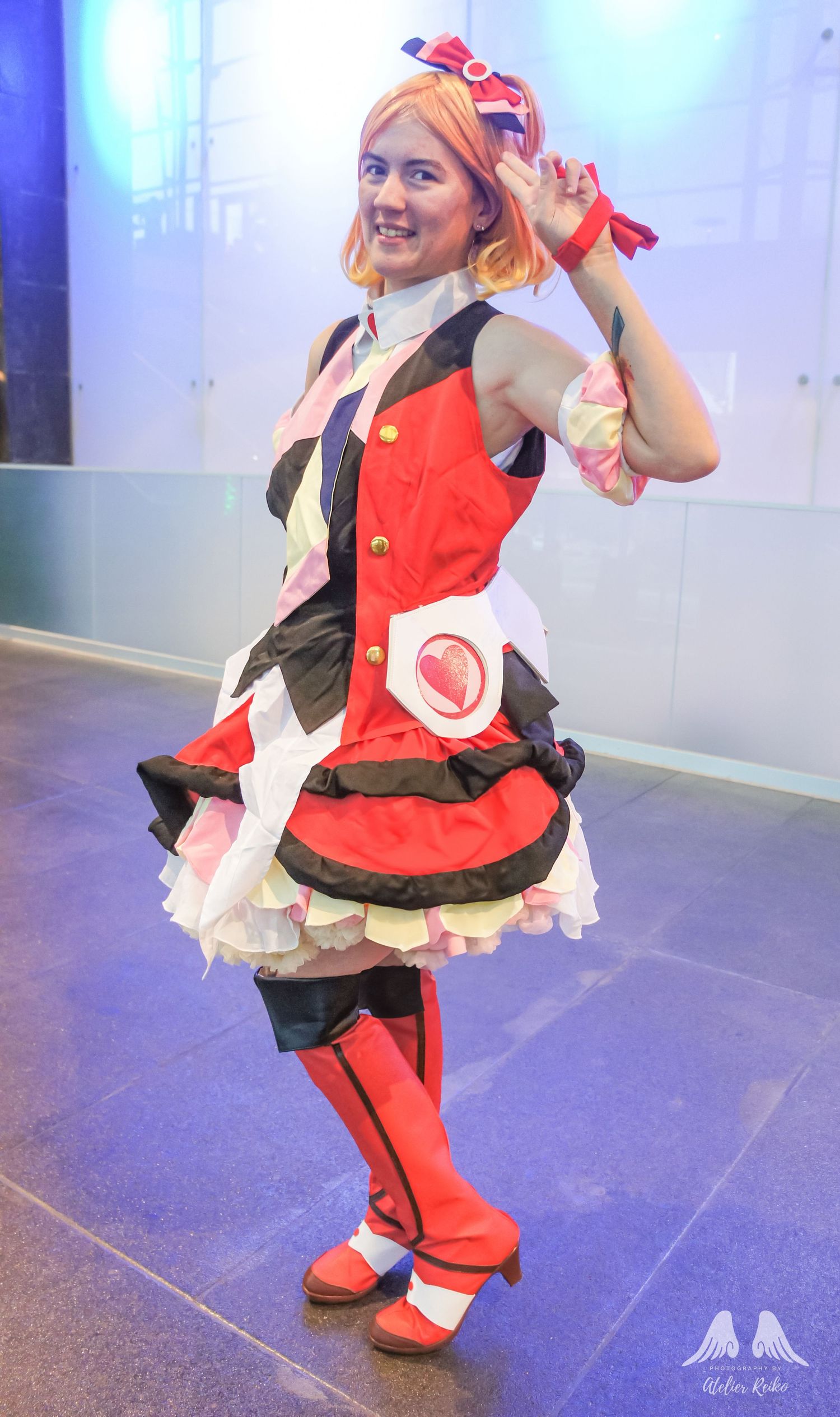
Ah, but here's where AI makes me laugh.
As I mentioned earlier, AI makes things easier for editing, but it's not going to be perfect. So I decided to have some fun.
To test this, I selected the entirety of Mako-chan's outfit and typed in a few keywords such as "Japanese Idol" and "Sailor Moon". Needless to say... They didn't quite make the mark, but it did make me laugh! Seriously, though, what is also up with my logo?!
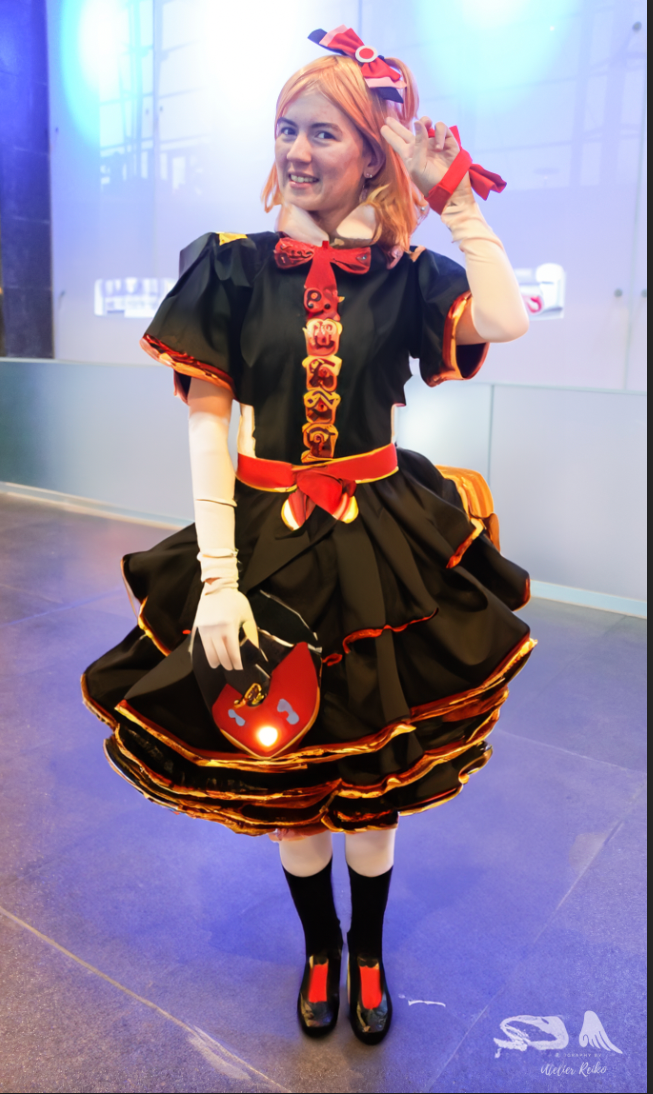
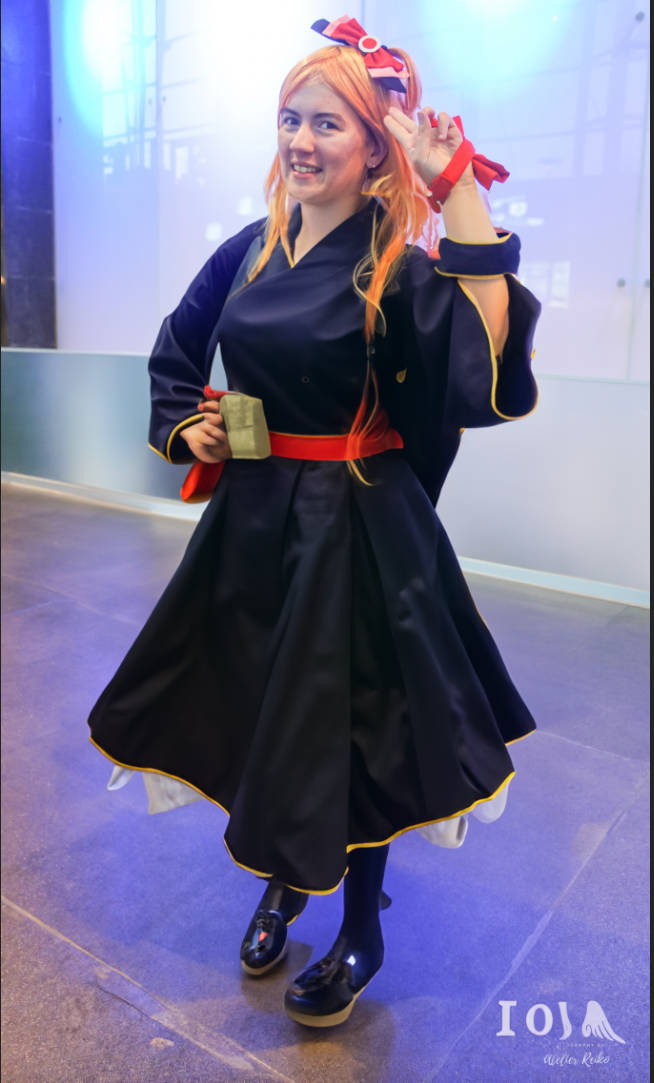
So AI... Yay or Nay?
For me, I would say yes! For right now, it does make up for the skills I lack for editing photos in Photoshop, and I think for the time being I will use it for simple, subtle things. As we saw in the pictures right above this, the AI results are far from perfect, and will need a lot of improvement to make me go HOLY CRAP. I am still, nonetheless, impressed with my own experimentation and results, and I look forward to see what else I can do with the Photoshop beta.
In the months that follow, I do plan to learn more about Photoshop and how I can utilize this, pretending that this beta version is not available for me to use. Let's see where my skills and creativity take me!
If you are a photographer or someone else who has tried the beta version, let me know what you think, and if you are inclined, share with me what you have been working on, even if it gives a laugh like how it did for me.
I will say that overall, AI should and would never be the replacement for what an actual human being can do nor should it hinder or discourage one to do incredible and amazing things even in the world of art. We are all unique and talented human beings, and see the world in a way not even bits of data can translate or comprehend. Continue to imagine, continue to dream, continue to create. Because the world needs to see what YOU can do and who can be.
With love,
Jenni
